
Why Most B2B ERP Integrations Fail
B2B ERP integration challenges refer to the difficulties of connecting ERP systems with ecommerce, pricing, and workflow tools—often resulting in slow performance, inconsistent data, and failed implementations due to poor planning and unclear system responsibilities.

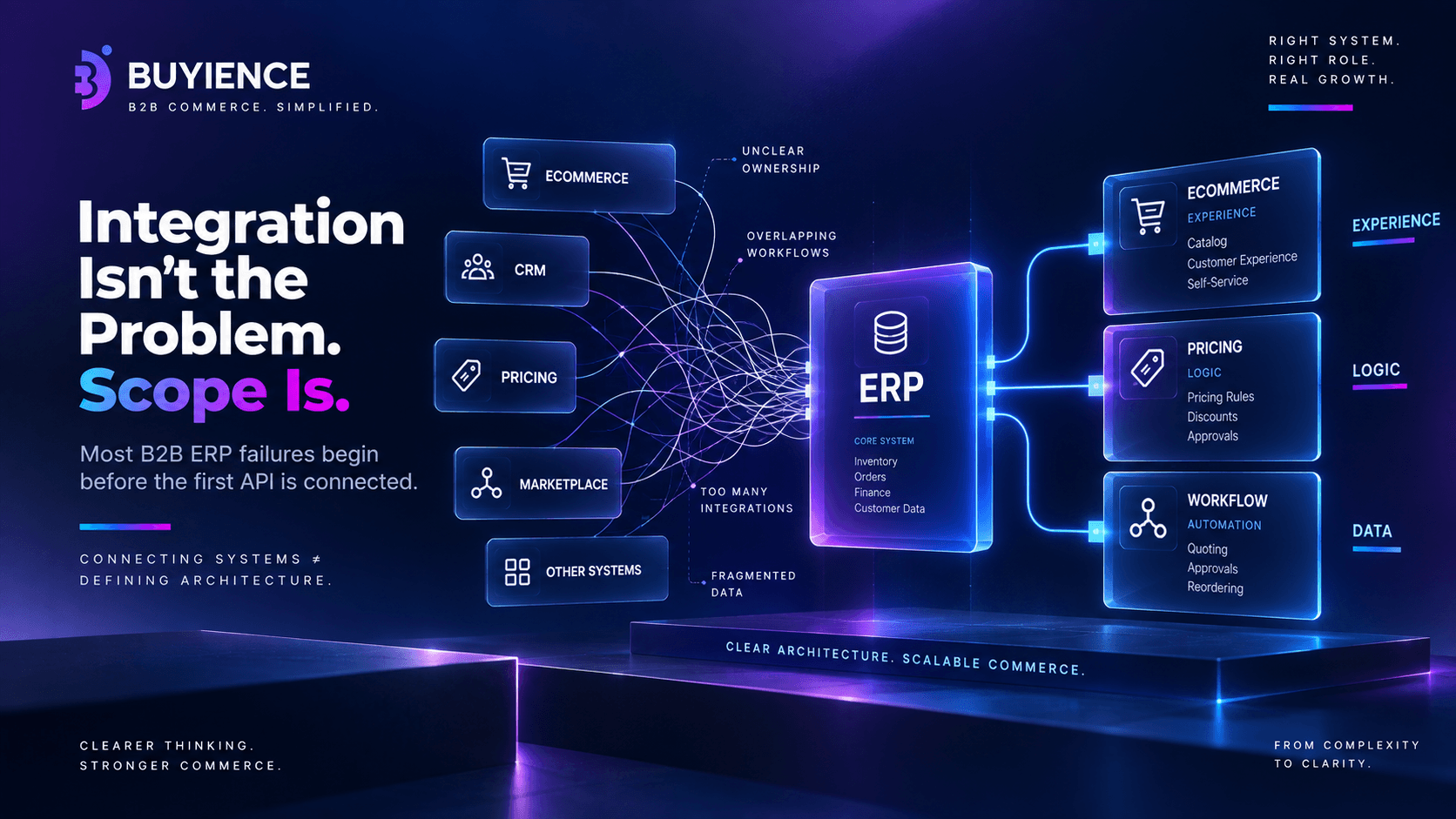
Introduction: Integration Isn’t the Problem—Scope Is
When a B2B ERP integration fails, the assumption is usually:
- The ERP is too rigid
- The ecommerce platform is limited
- The integration tool wasn’t powerful enough
But in most cases, the real issue is simpler:
The integration was trying to solve the wrong problem.
ERP integrations don’t fail because systems can’t connect.
They fail because teams expect integration to fix:
- Broken workflows
- Undefined ownership
- Poor architecture
Why ERP Integrations Are So Critical in B2B
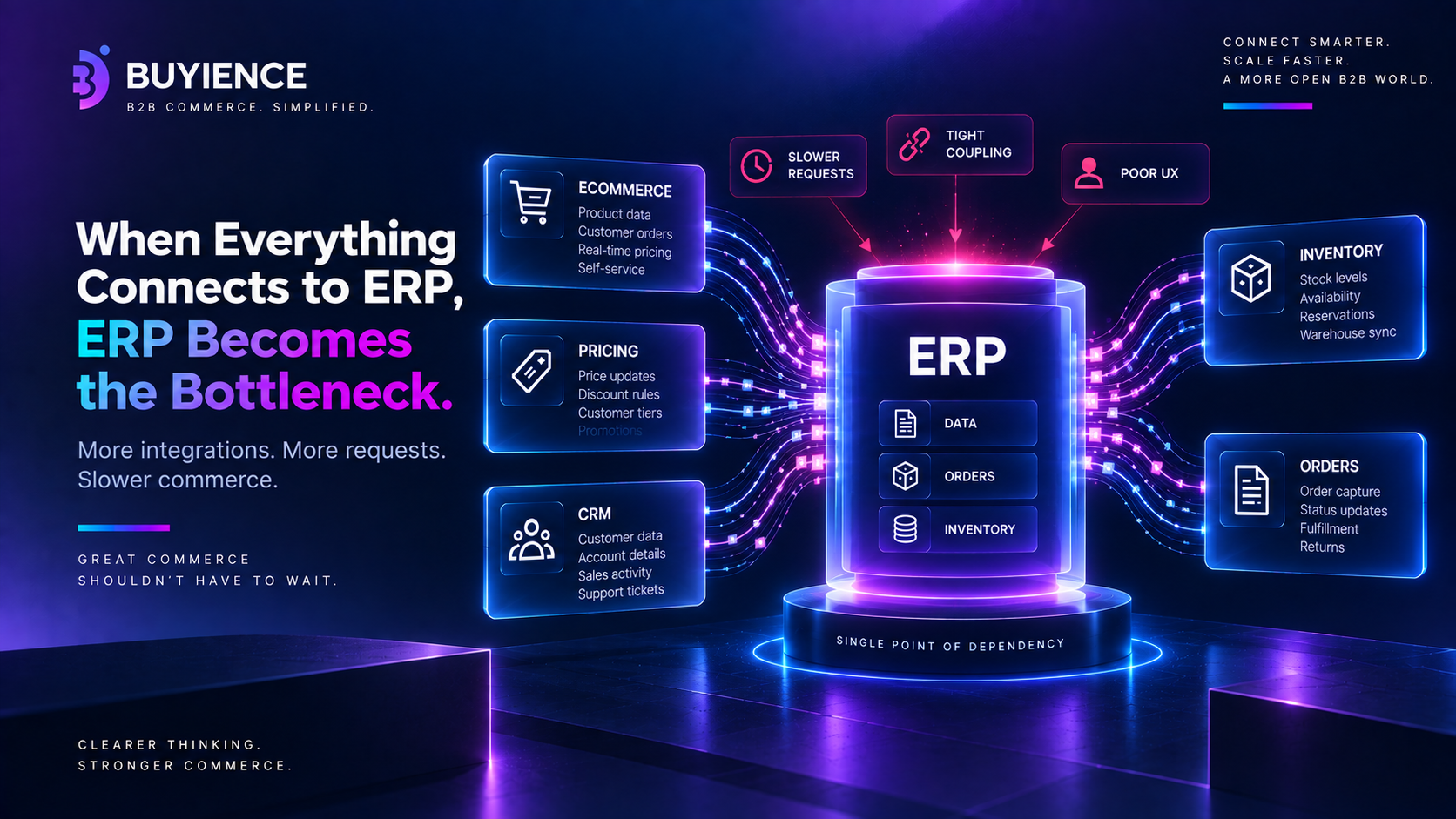
ERP sits at the center of:
- Inventory
- Orders
- Pricing
- Customer data
So everything connects to it:
- B2B ecommerce platforms
- CRM systems
- Pricing engines
This creates a risk:
ERP becomes the bottleneck for everything.
Top B2B ERP Integration Challenges
The most common challenges include:
- Overloading ERP with real-time requests
- Lack of clear system ownership
- Poorly defined workflows
- Data inconsistencies across systems
- Fragile point-to-point integrations
- High dependency on custom development
The Core Problem: Integration Is Used to Fix Workflow Gaps
Instead of asking:
- “What should each system do?”
Teams ask:
- “How do we connect everything?”
So integration becomes a workaround for:
- Pricing logic
- Approval flows
- Reordering systems
Why Most ERP Integrations Fail
1. ERP Is Treated as the Central Brain
- All logic pushed into ERP
- Performance suffers
- Changes become slow
2. No Clear Ownership of Logic
Pricing and workflows are split across:
- ERP
- Ecommerce
- Spreadsheets
3. Real-Time Dependency on ERP
Every action hits ERP.
Result:
- Slow systems
- Poor UX
4. Point-to-Point Integrations Everywhere
Each system connects directly to ERP.
Result:
- Tight coupling
- Hard to scale
5. Undefined Scope from Day One
No clarity on:
- System roles
- Workflow ownership
This is where failure starts.
What Successful ERP Integrations Do Differently
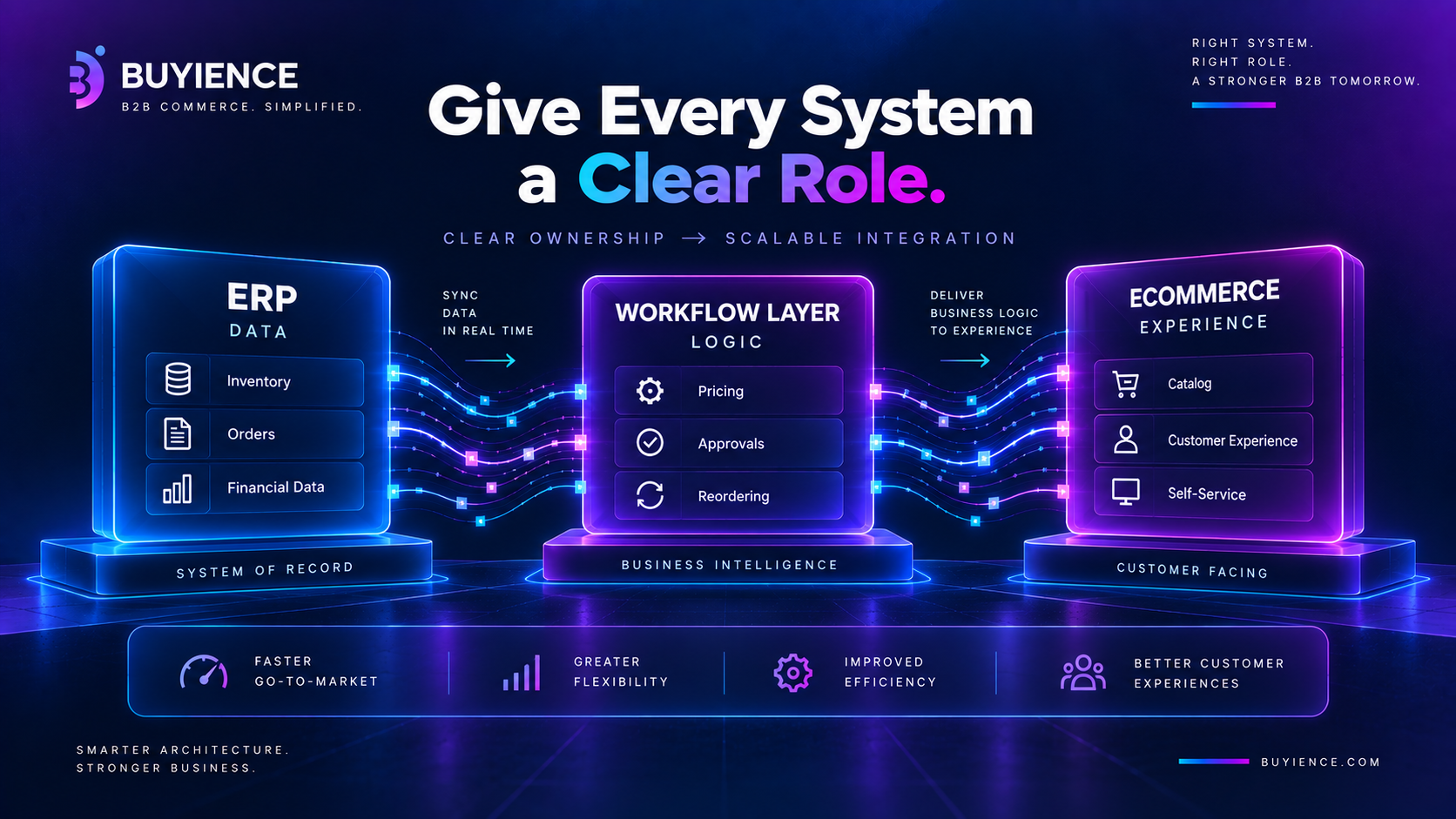
1. Define System Roles Clearly
- ERP → Data
- Ecommerce → Experience
- Workflow layer → Logic
2. Reduce ERP Dependency
ERP should not handle:
- Real-time workflows
- Customer-facing logic
3. Introduce a Workflow Layer
Handles:
- Pricing
- Approvals
- Reordering
Real Example: Failed vs Successful Integration
Failed
- ERP handles everything
- Ecommerce depends on ERP
- Heavy custom code
Successful
- ERP provides core data
- Workflow layer handles logic
- Ecommerce handles experience
The Hidden Cost of Failed ERP Integrations
1. Delays
- Longer timelines
- Higher cost
2. Operational Load
- Manual fixes
- Support overhead
3. Technical Debt
- Fragile systems
- Expensive changes
Impact on Pricing, Quoting, and Reordering
Failures show up as:
- Inconsistent pricing
- Slow quotes
- Broken reordering
How to Avoid ERP Integration Failure
Before starting:
- Define system ownership
- Identify where workflows live
- Reduce ERP dependency
- Plan architecture first
If this is unclear, integration will fail.
The Bigger Shift: Architecture First, Integration Second
- Wrong approach: Start with integration
- Right approach: Start with architecture
Conclusion: Integration Failures Are Scope Failures
ERP integrations don’t fail because of tools.
They fail because:
- Scope is unclear
- Roles are undefined
- Workflows are ignored
Fix the scope, and integration becomes easier.
Start with Scope, Not Integration
Before investing in tools or development:
Ask:
- What problem are we solving?
- Where should workflows live?
- Which system owns what?
If these aren’t clear, integration will fail.
We help B2B teams define architecture, map workflows, and design scalable integration strategies—before development begins.
Questions, answered
What are the biggest B2B ERP integration challenges?
The most common challenges include:
- Overloading ERP with real-time requests
- Lack of system ownership
- Poor workflow definition
- Data inconsistencies
- Complex integrations
Why do most ERP integrations fail in B2B?
Because the scope is unclear.
Teams try to:
- Use ERP as the central system
- Fix workflows through integration
How can you avoid ERP integration failure?
- Define system roles
- Keep ERP focused on data
- Introduce a workflow layer
- Plan architecture first
What should ERP handle in B2B systems?
ERP should handle:
- Inventory
- Orders
- Financial data
Not:
- Pricing logic
- Workflows
- Customer interactions
What is the best architecture for B2B ERP integration?
A distributed model:
- ERP → Data
- Ecommerce → Experience
- Workflow layer → Logic
Why is ERP not suitable for real-time workflows?
Because it’s not built for:
- Fast requests
- Dynamic logic
- Customer-facing interactions
How does ERP integration impact pricing and reordering?
Poor integration leads to:
- Inconsistent pricing
- Slow quoting
- Broken reordering
What is the difference between integration and architecture?
- Integration = connecting systems
- Architecture = defining system roles
Good architecture ensures successful integration.
Related articles
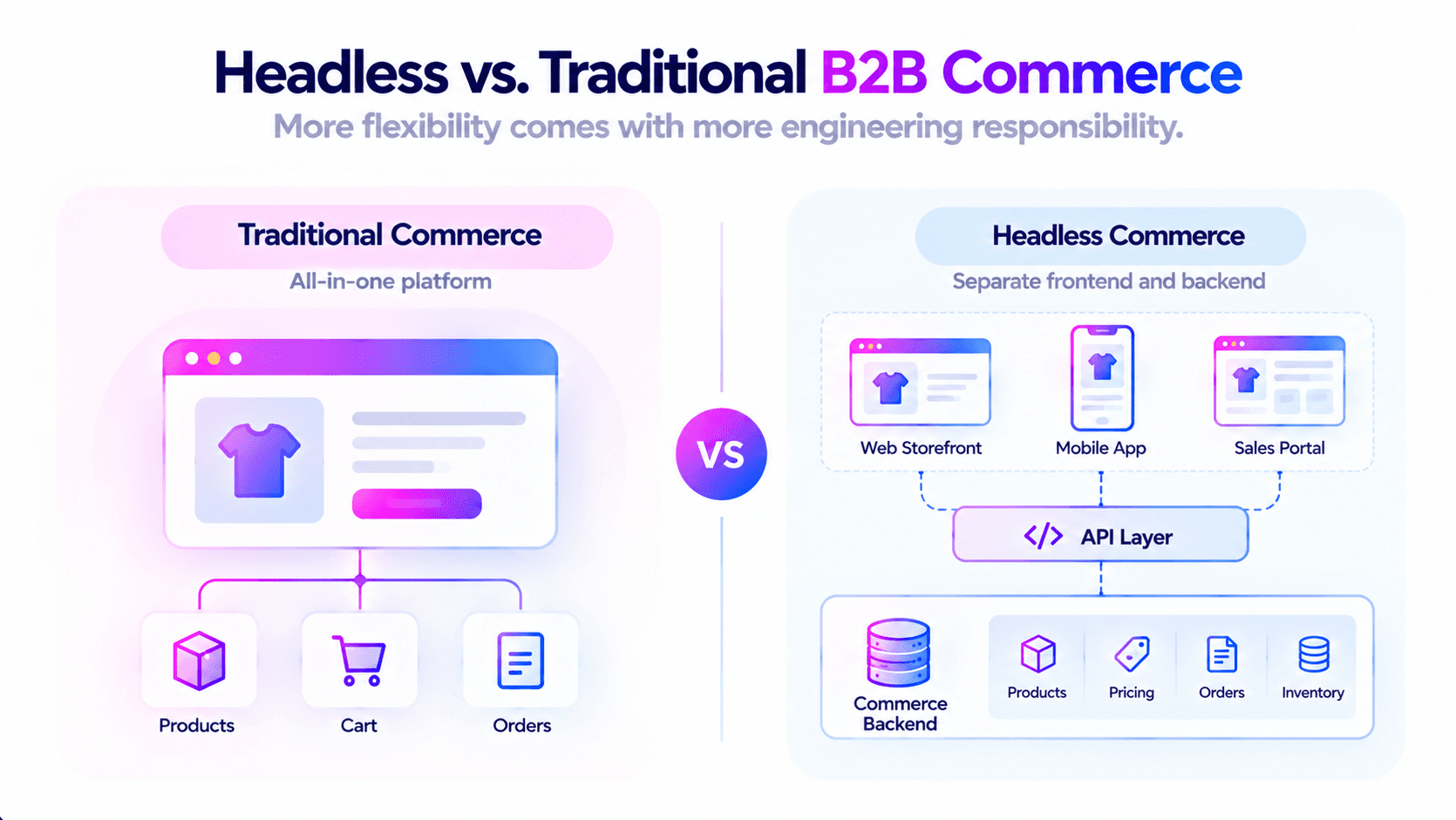
Headless B2B Commerce vs Traditional Platforms: What's the Real Difference
Headless decouples the storefront from the commerce backend, connecting them through APIs. Traditional platforms ship both together. Neither is better in the abstract — headless buys flexibility and pays for it in engineering capacity, and traditional buys speed and pays for it in constraint. For most SMB distributors without a front-end development team, traditional or lightly decoupled is the correct answer, and the honest version of this comparison says so.
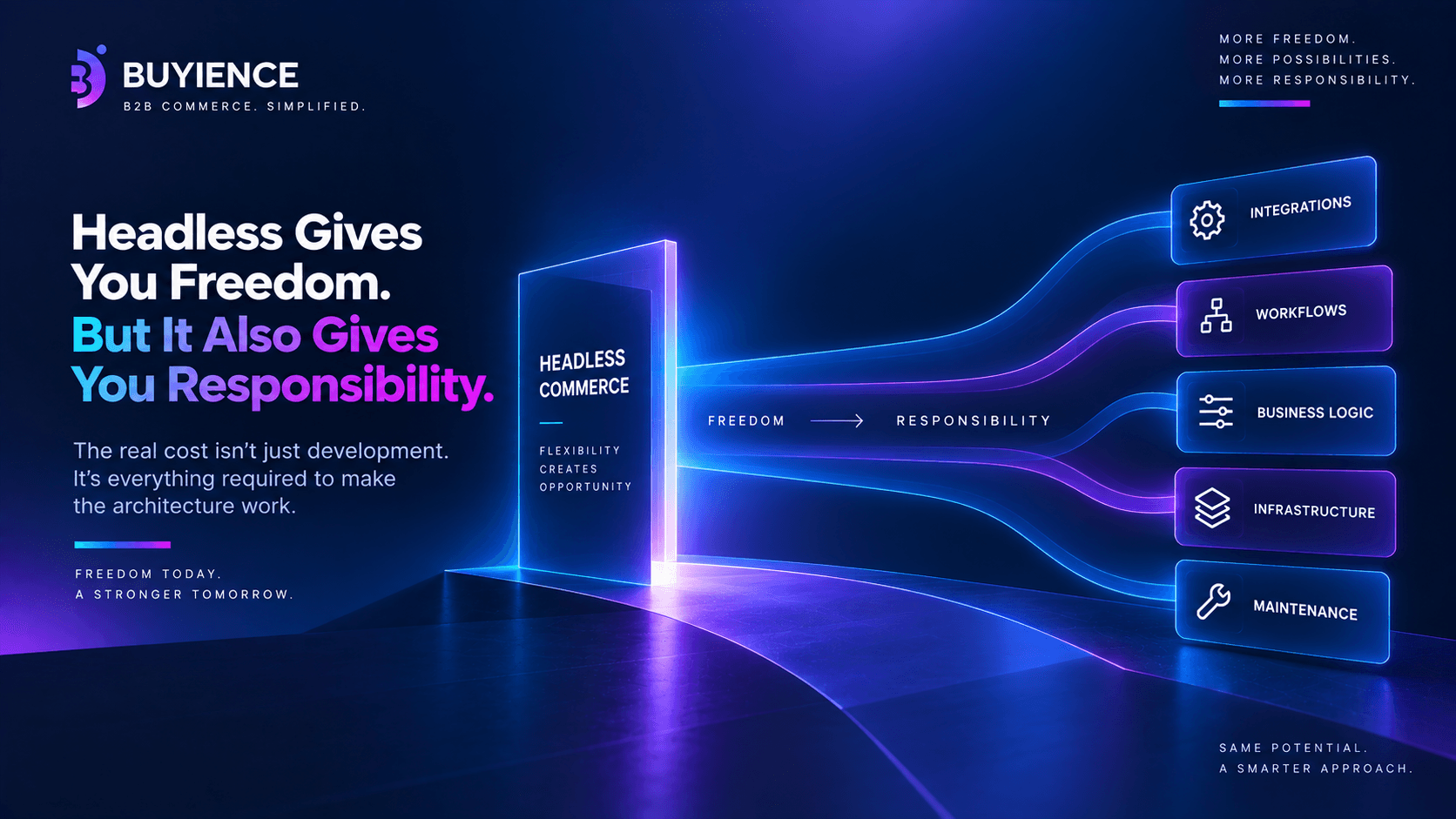
The Real Cost of Headless Commerce for B2B Companies
The cost of headless commerce in B2B includes not just development and infrastructure, but also ongoing expenses from integration complexity.
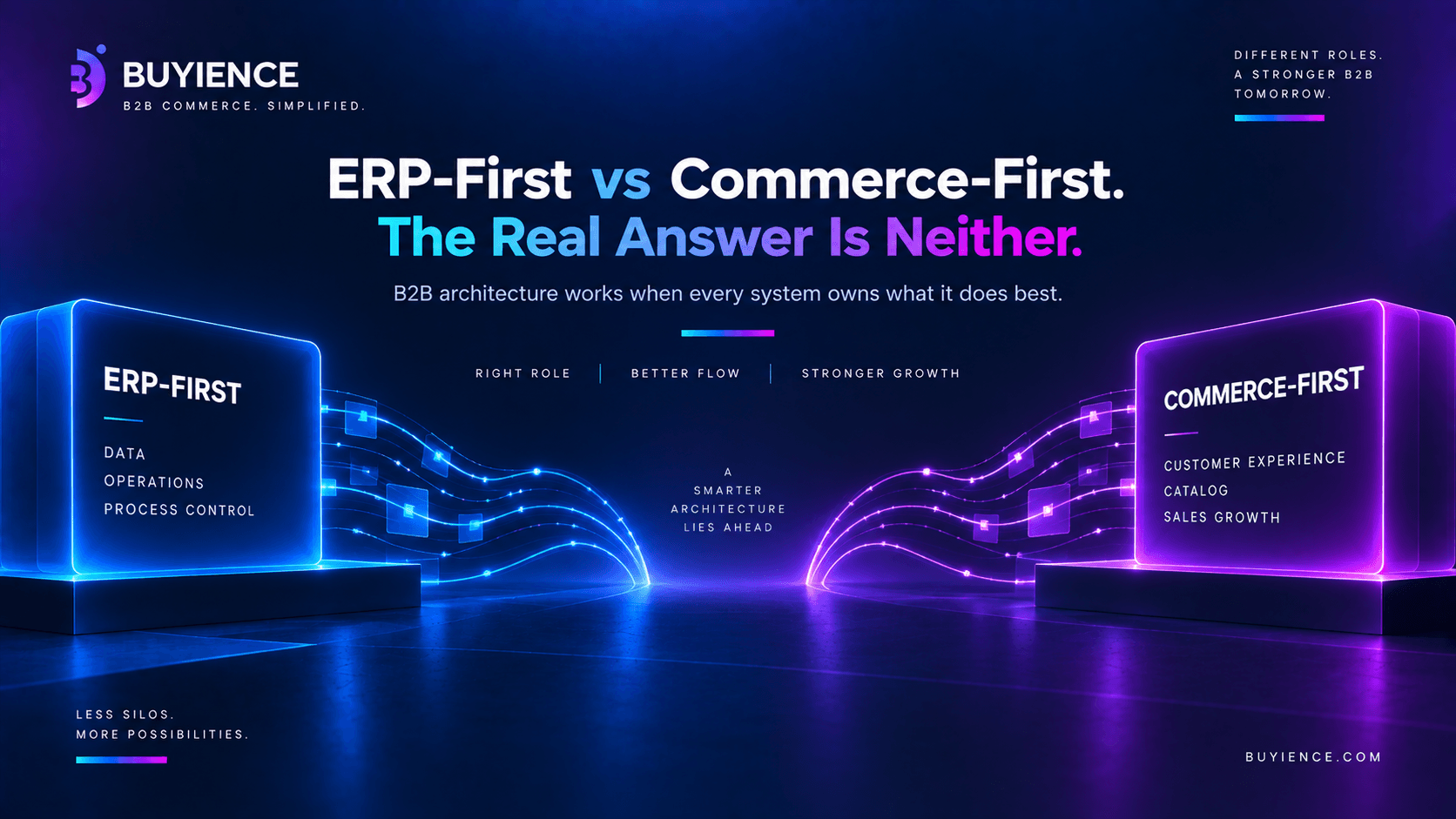
ERP-First vs Commerce-First Architecture in B2B — What Actually Works
ERP ecommerce integration in B2B is the process of connecting your ERP system with your ecommerce platform to sync data like pricing, inventory, orders, and customers—while enabling real-time workflows across systems.